NOVELOUS
- 4.4
- Rating
- 50.00K
- Installs
- Free
- Price

 Analysis by App-foxy
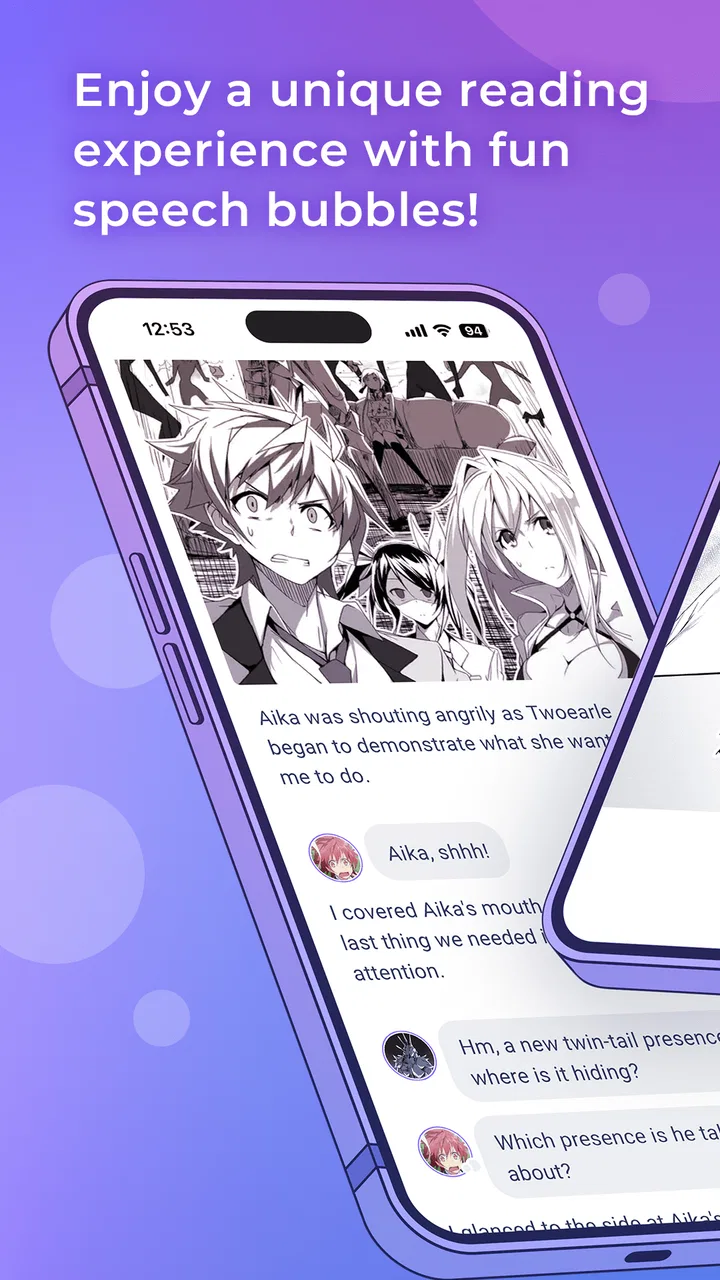
I approached NOVELOUS as a reading app for people who want to explore light novels from a phone rather than treating their device only as a place for quick articles or social feeds. Developed by SHOGAKUKAN INC., it sits in the Books & Reference category and is available free of charge, although optional purchases range from $0.99 to $32.99 per item. My first impression was that its appeal depends less on complicated tools and more on whether its reading selection and mature tone fit the person using it.
That distinction matters in a household. A free app can look like an easy shared download, but NOVELOUS carries a Mature 17+ age rating. I would be comfortable discussing it with an older teenager or adult reader, but I would not install it on a child’s device simply because the download itself costs nothing. For a family tablet or a phone passed between relatives, the real question is not only “Can everyone open it?” but also “Is everyone who might see or buy content the intended audience?”
How NOVELOUS Works in a Shared Reading Routine
I find that a shared reading routine works best when it has a little structure: agree on who uses the device, keep purchase decisions with its owner, and close the app when a session ends. That turns casual browsing into a more considerate habit, especially when readers have different ages or tastes. The next section looks at how to make that routine feel easy without mistaking a shared screen for a shared library.
You May Also Like

 Blood Strike: 2.5 Anniversary
Blood Strike’s Loadouts Turn Every Drop Into a Tactical Gamble
A close look at Blood Strike’s custom loadouts: how fast access to signature weapons reshapes its battle royale rhythm, rewards preparation, and narrows the gap between fights.

 Pandora - Music & Podcasts
Pandora’s Music Is Easy to Start, but Harder to Recover
Pandora’s strength is its low-effort path from a seed to a station. Its weak spot is how much confidence it asks you to place in connection, setup, and quiet recovery.

 8 Ball Pool
8 Ball Pool Is Built on Rivalries, Rematches, and Routine
A close look at the rivalries, rematches, shared routines, and unanswered safety questions that turn a quick pool match into a persistent mobile community.

 Samsung Music
Samsung Music’s Quiet Strength Is Playing What You Already Own
Its reach comes less from spectacle than from dependable access to a personal library. That simplicity is both the app’s strongest retention engine and its ceiling.

 AccuWeather: Weather Radar
AccuWeather Review: A Quick, Clear Forecast for Everyday Decisions
For everyday plans, the best forecast is the one you can understand quickly. AccuWeather makes rain timing, radar, and local conditions easy to act on, with a few trade-offs.

 Hill Climb Racing
Why Hill Climb Racing Still Turns Crashes Into One More Run
A tiny car, a bumpy hill and one more upgrade: Hill Climb Racing keeps resurfacing because its simple chaos makes every near-miss feel personal.
More From Our News Desk
View All News


A practical use case for one household
Imagine a household where one person reads during a morning commute, another wants something for a quiet evening, and a third occasionally borrows the same tablet. NOVELOUS can fit that kind of routine when each reader treats it as a personal reading stop rather than a communal library. One person might browse after breakfast, leave the device available, and another might continue later. The useful part is the low barrier to trying it: there is no purchase required just to begin exploring the app.
In my view, this works best when the household already has a simple agreement about whose turn it is and who may make purchases. The app is not something I would hand around casually while everyone assumes their activity is separate. Shared-device reading creates small but important problems: a reader can leave a title open, another person can encounter mature material unexpectedly, and a purchase decision can become unclear when several people use one screen.
That is why I see NOVELOUS as better suited to a personal phone than to an unrestricted family tablet. On a personal device, the reading context is clearer. On a shared device, the household needs its own boundaries because the app should not be treated as a substitute for family supervision or account management.
What the free entry point really means
The free price makes experimentation straightforward. I could recommend trying NOVELOUS to someone who is curious about light novels but does not want to commit to a paid reading service immediately. It also makes it easier to introduce the app to a household member without turning the first conversation into a discussion about subscriptions.
Still, free installation does not mean every part of the experience is free. The presence of optional in-app purchases changes how I would use it around children, guests, or anyone who shares a payment method. Before letting another person browse, I would make sure they understand that some choices may lead to paid content. I would also avoid assuming that a shared device is harmless simply because the first step costs nothing.
For an adult reader, this is a familiar trade-off: the app lowers the entry barrier, while continued use may involve deciding whether individual purchases are worthwhile. I prefer that arrangement to paying for a large service before knowing whether its library suits me, but readers who want a completely predictable monthly cost may feel more comfortable with a conventional subscription platform.
Setting boundaries before handing over the device
NOVELOUS does not become a family-friendly app merely because several people can use the same tablet. My practical advice is to establish three rules before sharing it. First, decide who the intended readers are in light of the Mature 17+ rating. Second, agree that purchases require the owner’s permission. Third, keep the app on a device whose normal lock and account protections are already understood by the household.
These are not dramatic precautions; they are the kind of small arrangements that prevent awkward moments. If a younger child uses the tablet for games and videos, I would keep NOVELOUS out of that routine unless an adult is actively choosing and supervising the reading material. If an older teenager uses the device, I would talk about the age rating directly instead of hiding it or pretending every title has the same tone.
The same approach helps with visitors. A friend borrowing a phone may tap through an open screen without realizing that the app contains mature-oriented material or purchase options. Closing the reading session and locking the device afterward is a more reliable habit than expecting every user to understand the app immediately.
Keeping reading activity separate
One of the less obvious trade-offs of shared use is that reading recommendations and open pages can reveal more than a person expects. A light-novel reader may consider a title private, embarrassing, or simply unsuitable for younger relatives. Even without discussing account features, I would treat the current screen, browsing history, and purchase area as personal information.
For that reason, I would not use a shared tablet for NOVELOUS if different household members need completely separate reading spaces. A dedicated phone is a cleaner arrangement. If the app is already on a common device, each reader should close it when finished and avoid leaving a title displayed. That will not create separate profiles, but it does reduce accidental exposure.
This is also where NOVELOUS differs from a physical book shelf. A printed novel placed in a living room is visible, while a reading app can contain a much wider range of material behind one icon. The convenience is real, but so is the need for more deliberate coordination.
Coordinating purchases without confusion
Optional purchases are the area where household coordination matters most. I would never tell several people to “just try things” on a device connected to a shared payment method. Instead, I would make one person responsible for approving purchases and ask readers to discuss a title before spending anything. That keeps the app’s free starting point from turning into an accidental household expense.
A useful arrangement is to separate browsing from buying. A teenager or guest can explain which novel interests them, while the account owner decides whether the purchase is appropriate and affordable. This is especially important when the same device is used by people with different expectations about spending. One reader may see a small purchase as trivial; another may be tracking every household charge carefully.
I also recommend checking the purchase screen slowly rather than tapping through it while distracted. Reading apps are often used in short spare moments, and a hurried tap is exactly when confusion can happen. NOVELOUS is more comfortable in a household when everyone understands that “free to download” and “free of every optional cost” are different ideas.
Age context and trust
The Mature 17+ rating should shape the conversation around NOVELOUS from the beginning. I would describe it to an older teen as an app intended for mature readers, not as a general children’s reading tool. That wording leaves room for responsible discussion without making assumptions about the content of every individual title.
For adults, the rating is a useful reminder to choose reading material thoughtfully, particularly when the app is open in a public room. A person may be perfectly comfortable with mature fiction privately but not want it visible during a family gathering or on a shared screen. The app’s portable format makes reading convenient, yet portability also means the context can change quickly.
Trust works better here than pretending a rating solves everything. An older teenager who uses a personal phone may be able to make sensible choices, while a younger child using the same phone may not. The household should judge readiness, supervision, and payment responsibility together. NOVELOUS can be part of that arrangement, but it cannot replace the conversation.
Who will enjoy the reading experience
I think NOVELOUS is most appealing to readers already interested in light novels or curious about discovering them in a dedicated mobile setting. It is also a reasonable starting point for someone who wants to explore before committing money. The store summary presents it as an invitation into the world of light novels, and the app’s identity is clear enough that I would not recommend it to someone looking for a broad reference encyclopedia, a general news reader, or a conventional ebook manager.
Its strongest use case is focused reading: opening the app when you want fiction with a light-novel flavor, browsing at your own pace, and deciding whether a title deserves further attention. That focus can be refreshing compared with a large digital bookstore where novels, textbooks, comics, and unrelated media compete for attention.
On the other hand, readers who need a large cross-format collection, extensive productivity tools, or a single place for every ebook they own may prefer a broader platform. NOVELOUS is not the choice I would make for managing a mixed personal library. Its value comes from its specific reading identity, not from trying to replace every book app.
Where the app may create friction
The first limitation is the mature audience context. This narrows where I would comfortably use it and makes shared-device arrangements more complicated than they might appear. A household with young children may decide that a general family reading service is a better fit, even if NOVELOUS itself is easy to download.
The second is the uncertainty that naturally comes with optional purchases. A free starting point is helpful, but readers who dislike making title-by-title spending decisions may find the model less relaxing than an all-you-can-read subscription. I would also be cautious about recommending it to someone who wants a completely uniform experience for every member of a family.
There is a further practical issue with any focused reading app: its usefulness depends on personal taste. Someone who does not enjoy light novels will not be persuaded simply because the app is free. I would test it with a specific reading goal in mind rather than installing it as a vague promise of endless entertainment.
What the technical details mean in practice
NOVELOUS was released on January 15, 2025, and the current version is 1.3.10. It supports Android 7.0 and later, which makes it accessible on a wide range of older Android devices. That is helpful for a household using a spare phone or an older tablet, although I would still judge the experience by the actual device’s screen, storage, and general responsiveness rather than by operating-system support alone.
The app has passed the early discovery stage with more than fifty thousand installs, an average rating of 4.4 from around three hundred ratings, and roughly fifty-seven written reviews. Those figures suggest that people are finding and evaluating it, but I would not treat them as a guarantee that every reader will have the same experience. A focused app can suit one reader very well and feel too narrow to another.
When I recommend it, I frame those details as reassurance that it is not an anonymous experiment, while still encouraging the reader to judge the catalog and reading flow personally. The developer, SHOGAKUKAN INC., gives the app a recognizable publishing connection, but the practical test remains simple: does it offer the kind of light-novel reading you actually want?
How I would introduce it at home
My preferred household workflow is deliberately modest. I would install NOVELOUS on one adult’s personal Android phone first, explore it privately, and decide whether its mature audience and purchase model make sense for the home. If another adult wants to try it, I would let that person browse on their own device where possible rather than turning one tablet into a shared reading account.
If a shared tablet is the only option, I would create a clear time and space for use: one reader at a time, no unattended browsing by young children, and no purchases without the device owner’s approval. After reading, I would close the app and return the tablet to its normal home screen. These steps sound ordinary, but they address the exact problems that make shared entertainment apps uncomfortable.
For an older teenager, I would make the rating and purchase rules explicit instead of relying on technical restrictions that may not exist or may not be understood. I would ask what kinds of stories they want, explain that the app is aimed at mature readers, and agree on how to request paid items. That approach preserves trust while keeping the household’s boundaries visible.
My household verdict
After looking at NOVELOUS as both a reading app and a shared-device choice, I see it as a good recommendation for an adult light-novel reader who wants a free way to explore a focused catalog on Android. Its identity is more useful than its low entry price: it knows what kind of reading it is trying to offer, and that makes it easier to decide whether it belongs in your routine.
I would recommend it to a mature reader using a personal phone, especially someone who wants to test the waters before spending more. I would be more cautious with a family tablet, a child’s device, or any setup where several people can buy content from one payment method. In those situations, a broader family-oriented reading service or a traditional shared bookshelf may be easier to manage.
My bottom line is that NOVELOUS works best when the reader, age context, and payment responsibility are clearly defined. Treat it as a personal mature-reading app rather than an automatically suitable household library, and its free starting point becomes genuinely useful. Ignore those boundaries, and the very convenience that makes mobile reading attractive can create avoidable confusion.
FAQs for NOVELOUS
01What is NOVELOUS and what can I use it for?
NOVELOUS is an entertainment-focused application designed for users who enjoy discovering and following serialized content, such as novels, stories, or other reading material available through the platform. Its exact catalog and available features may vary by region and app version. Before downloading, check the current store description to confirm whether the content, language options, and reading tools match your interests.
02Is NOVELOUS free to download and use?
NOVELOUS may be available as a free download, but some content or functions can require in-app purchases, subscriptions, virtual credits, or other payments. Free access may also include advertising or limitations on chapters and premium material. We recommend reviewing the pricing information shown in the Google Play Store or Apple App Store before creating an account or making a purchase.
03Does NOVELOUS require an account or personal information?
Depending on the version of NOVELOUS and the features you want to use, you may be able to browse some content without registering, while reading progress, favorites, synchronization, comments, or purchases may require an account. During setup, review the permissions and privacy policy carefully, especially if the app requests access to personal details, device identifiers, or notification features.
04Can I use NOVELOUS offline?
Offline availability depends on the specific content and tools offered in your installed version of NOVELOUS. Some reading platforms permit users to save selected chapters for later access, while others require an active internet connection to load content, verify access, or display advertisements. If offline reading is important to you, confirm that downloadable chapters are supported before relying on the app while traveling.
05Is NOVELOUS suitable for all ages?
NOVELOUS may contain stories or themes intended for mature audiences, and the suitability of its catalog can differ from one title to another. Parents and guardians should check the app’s age rating, content descriptions, and available parental controls before allowing children to use it. It is also wise to review individual titles because the general store rating may not describe every story.
Pros
- Simple interface makes browsing stories quick and approachable.
- Good option for discovering independent and lesser-known writers.
- Reading can be enjoyed at your own pace without complicated controls.
- Story-focused design keeps distractions to a minimum.
- Useful for readers seeking fresh genres and different writing styles.
Cons
- The catalog may feel limited compared with larger reading platforms.
- Content quality can vary noticeably between different authors.
- Some stories may receive infrequent updates or remain unfinished.
- Advanced reading tools and customization options may be limited.
- Availability of certain content may depend on region or account access.

NOVELOUS
Gallery